MyCard - Contactless Payment
Road DogsFinance
4.0120.00 Reviews
- Version
- 1.21
- Installs
- 10.00K
- Age Rating
- Everyone
Screenshots
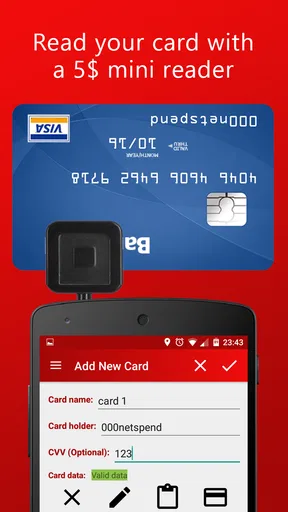
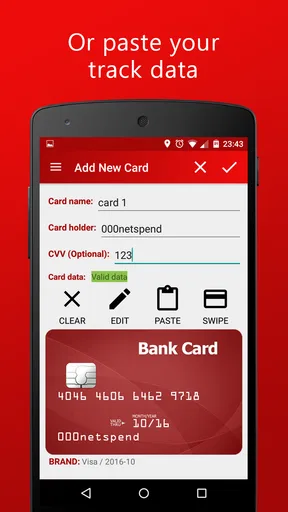
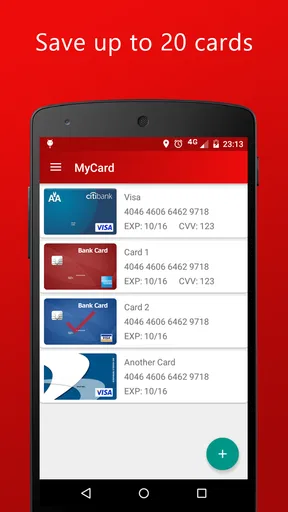
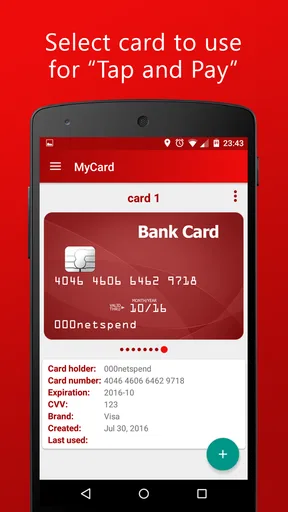
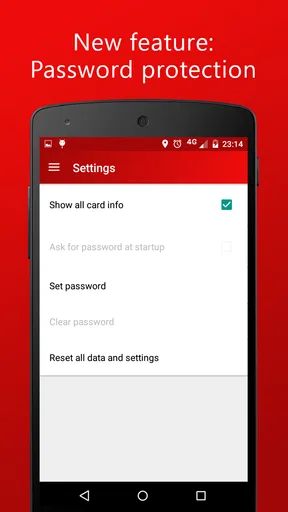
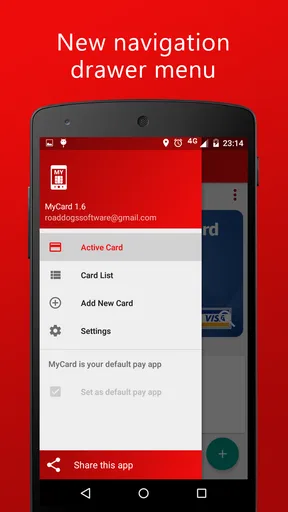
Our Review of MyCard - Contactless Payment
 Analysis by Appyee
I judge a payment app by what happens in the ordinary moments: a queue moving behind me, a phone in one hand, and a terminal waiting for a tap. MyCard is built for that kind of convenience, but the price and the practical limits matter just as much as the idea. Before paying for it, I’d want to be sure its way of handling contactless payments fits my bank, my phone, and the places where I shop.
What the price means in practice
MyCard is a paid finance app, listed at $17.99 rather than as a free download. That makes it a different proposition from many wallet apps that cost nothing to install. I’d treat the purchase as an upfront cost for a specific use, not as a subscription or a promise of savings: the price alone doesn’t establish whether there are other charges involved in using a payment service.
That distinction is useful when deciding whether to try it. If I only want to see whether contactless payment suits me, a free option already available on my phone may be the lower-risk place to start. If I’m deliberately looking for this particular app and expect to use it regularly, the one-time listed price may feel reasonable—but only if it works with the payment setup I actually have.
What I would check before relying on it
The central question is compatibility. A contactless payment app is only useful if the phone, payment terminal, and bank or card arrangement can all work together. Before making MyCard my everyday method, I’d check that the app supports the financial account I plan to use and that my device can make the intended contactless payment. A quick test with a small purchase is more sensible than leaving a physical card at home on the first day.
I’d also keep a backup payment method close by. That isn’t a knock against MyCard; it is a practical habit with any phone-based payment. A low battery, a damaged phone, a connection or setup snag, or a terminal that doesn’t cooperate can turn a supposedly quick tap into a delay. Keeping a card or some cash available avoids making a routine checkout depend on one device.
A useful everyday test
Imagine stopping for coffee on the way to work. If MyCard is already configured and the café’s terminal accepts the payment method, paying by phone can save the small but familiar pause of searching a wallet. The benefit is modest each time, yet it can make short errands feel simpler when you already carry your phone everywhere.
For a less convenient test, think about a busy supermarket shop. If the app is new to you, the queue is moving, and you haven’t confirmed compatibility, that is a poor moment to learn how its payment flow behaves. I’d try it first somewhere low-pressure, then decide whether it is dependable enough for larger or time-sensitive purchases. That small bit of preparation is more useful than assuming every contactless terminal will behave the same way.
Who is likely to get value
MyCard is most appealing to someone who wants to pay by phone, prefers not to reach for a wallet on small purchases, and has checked that their setup is supported. It may also suit a person who values keeping a payment option close at hand while running light on belongings. Road Dogs is the developer, and the app has an average rating of 4.0 from 285 ratings, with 121 written reviews and over 10K installs. Those figures suggest it has found users, but they don’t replace checking whether it suits your own bank and device.
I’d be more cautious if you rarely use contactless payments, already have a free phone wallet that meets your needs, or are uncomfortable putting payment activity through an additional app. In those cases, the $17.99 price is harder to justify. A physical bank card is also the more straightforward choice for anyone who wants to avoid relying on a charged, functioning phone.
Where it sits beside other payment choices
The usual alternatives are a physical card, cash, or a wallet that is already built into your phone. Cash avoids phone setup but requires carrying it and handling change. A bank card is familiar and doesn’t depend on your phone’s battery. A built-in wallet may be more convenient to try if it is already available and compatible, especially when the main goal is simply tapping to pay.
MyCard’s case is strongest when its particular setup offers something you want that those alternatives do not. I wouldn’t assume that installing another payment app automatically makes checkout faster or safer; the actual value depends on compatibility and on how comfortably it fits your routine. Compare the practical steps and costs before switching, rather than choosing on the promise of a phone tap alone.
Questions worth settling before purchase
Does it work with my bank and phone? That is the first thing I’d establish, because neither contactless branding nor a compatible-looking terminal guarantees that a specific app can complete a payment. Can I use it everywhere I shop? I’d assume only that participating contactless terminals may be suitable, and I’d keep another payment method for exceptions. Is the listed price the whole cost? The app costs $17.99 to obtain, but that figure by itself does not answer questions about any separate service charges, so I’d check the purchase and payment terms before depending on it.
What if I change my mind? I’d read the relevant purchase terms before buying, rather than assume a particular refund arrangement. And should I make it my only way to pay? I wouldn’t. A phone-based option is most useful as part of a sensible backup plan, especially until I’ve tested it in the places I visit regularly.
The app is rated for Everyone, was released on March 22, 2016, and its current version is 1.21, with Android support starting at version 5.0. Those details help identify the product and its basic platform fit; they don’t tell me whether every newer device or financial account will work, so I’d still check the app’s compatibility information before buying.
Have you ever found yourself fumbling around at the checkout, trying to find the right card or enough cash? Well, with MyCard - Contactless Payment, that chaos is a thing of the past. Let me take you through my experience with this nifty app that promises to make your payments as smooth as a swipe.
Getting Started with MyCard
First things first, downloading MyCard - Contactless Payment was a breeze. Available on both Android and iOS, it’s just a matter of a few taps and you’re ready to roll. Setting up your account is straightforward. You just need to link your bank details or card, and voilà! You’re set to go cashless.
The app's interface is a delight to navigate. It’s clean, intuitive, and doesn’t take ages to load, which is a massive plus for someone like me who isn’t particularly patient with tech.
Seamless Payments
Once I had my account ready, using MyCard felt like magic. You just hold your phone close to the payment terminal, and the transaction is done in seconds. It’s that easy. No more digging through wallets or worrying about carrying enough cash.
What’s even better is that it works almost everywhere. Whether you’re grabbing a coffee or indulging in some retail therapy, MyCard has got you covered. I’ve yet to find a store that doesn’t accept it.
Security Features
In today’s world, security is paramount. MyCard - Contactless Payment has several layers of protection to keep your data safe. It employs encryption and offers biometric authentication options like fingerprint and facial recognition. I appreciated the peace of mind it offers, knowing my information is secure.
Moreover, you can quickly lock your account if you misplace your device. This instant control over your financial security is a feature that shouldn’t be underestimated. It’s like having your own digital watchdog.
Additional Features
The app doesn’t just stop at payments. It offers a range of additional features that enhance your spending experience. For instance, you can track your spending habits and set budget alerts. It’s like having a personal financial advisor in your pocket.
Also, you can store loyalty cards digitally, which means no more cluttering your wallet with countless cards. Everything is organized and easily accessible, making your shopping experience even more enjoyable.
Customer Support
I had a minor hiccup while setting up my account, and I must say, the customer support was stellar. They were prompt, professional, and resolved my issue without any hassle. It’s reassuring to know that help is just a message away if you ever need it.
Final Thoughts
After using MyCard - Contactless Payment for a few weeks, I can confidently say it has revolutionized the way I handle transactions. It’s fast, secure, and extremely convenient. Whether you’re tech-savvy or a bit of a technophobe, this app is designed to cater to everyone.
If you’re looking to simplify your life and join the ranks of the cashless, MyCard might just be the perfect companion for you. Give it a try, and you might find it hard to ever go back to the old ways of paying.
Verdict
Strengths of MyCard - Contactless Payment
- Fast and easy setup process.
- Compatible with major credit cards.
- Secure encryption technology.
- User-friendly interface.
- Supports multiple currencies.
Limitations of MyCard - Contactless Payment
- Requires internet for transactions.
- Limited customer support options.
- Not available in all regions.
- May not work with older devices.
- Occasional app crashes reported.
Similar Picks in This Category
View All
Google Wallet
Google LLC4.3

Airtel: Recharge, Bank & Loans
Airtel4.0

PayPal - Pay, Send, Save
PayPal Mobile4.2

DANA Indonesia Digital Wallet
PT Espay Debit Indonesia Koe4.5

Binance: Buy Bitcoin & Crypto
Binance Inc.4.8

Cash App
Block, Inc.4.7
Frequently Asked Questions
What is MyCard and how does it work?
MyCard is a contactless payment app that allows users to make secure transactions using their smartphones. Once you link your bank account or credit card, you can tap your phone at any NFC-enabled payment terminal to complete purchases. The app ensures your financial details are encrypted and safe.
Is MyCard available for both Android and iOS devices?
Yes, MyCard is available on both Android and iOS platforms. You can download it from the Google Play Store for Android devices or the Apple App Store for iOS devices. The app requires a minimum OS version, so ensure your device is compatible before downloading.
How secure is MyCard for making payments?
MyCard employs advanced encryption and security protocols to protect your financial information. The app does not store your card details on your device, reducing the risk of data breaches. Additionally, users can enable biometric authentication for added security during transactions.
Are there any fees associated with using MyCard?
MyCard itself is free to download and use. However, depending on your bank or card issuer, there might be transaction fees or currency conversion charges when using the app internationally. It's advisable to check with your financial institution for any applicable fees.
Can MyCard be used internationally?
Yes, MyCard can be used for international transactions wherever contactless payment is accepted. However, users should be aware of potential foreign transaction fees imposed by their bank or card issuer. Additionally, make sure to notify your bank of your travel plans to avoid any service disruptions.
